Flowline® has been the go-to platform for real-time data on offshore projects, vessel and rig activity, industry trends, and market dynamics for more than 5 years. Trusted by E&P operators, vessel owners, engineering firms, and investors around the globe, our platform delivers not just data—but relevant, actionable intelligence.
Energy Maritime Associates (EMA) latest round of updates is now live, bringing expanded vessel tracking data, smarter search across the platform, and dedicated news coverage for Floating Production Systems (FPS).
Why This Matters
Offshore markets move quickly—vessel availability shifts, survey windows open and close, and projects progress from planning to production. Staying ahead means knowing not just where assets are, but where they're heading, when they're due for maintenance, and what's happening around them.
These updates are about exactly that: richer data on every asset, faster ways to find what matters to you, and better visibility of the FPS market as it develops.
Expanded Vessel, Rig & FPS Tracking Data
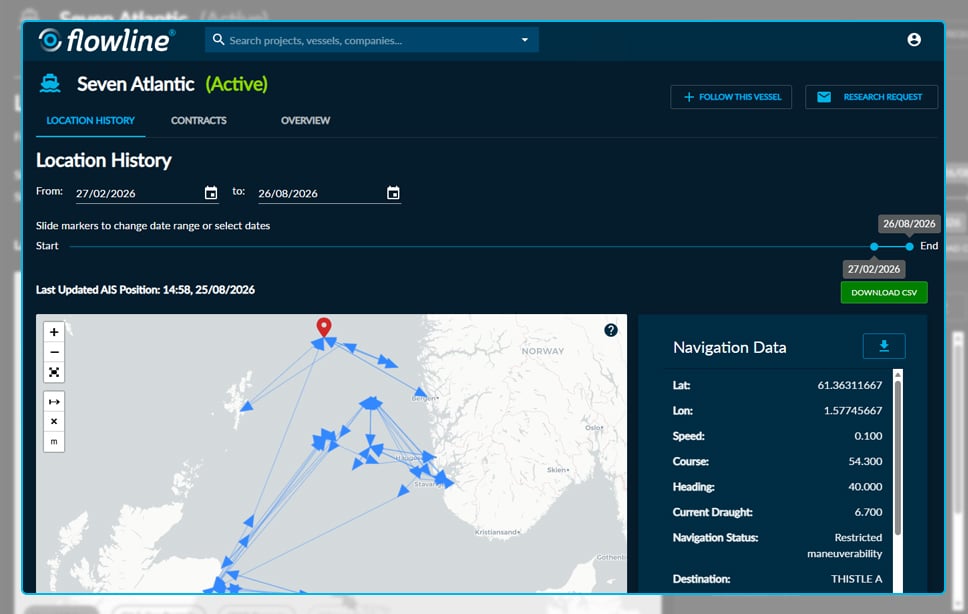
Asset profiles across Flowline® now carry a significantly richer set of tracking data. Alongside position and navigation status, you'll now find:
-
Movement & Voyage Data – Speed, Course, Heading, Destination, Departure Port, ETA, and ATD.
-
Maintenance Intelligence – Special Survey Dates and Dry Dock Dates.
-
Latest AIS Position – every Vessel, Rig, and FPS profile now shows when the asset last transmitted a position signal, so you always know how current the location data is.
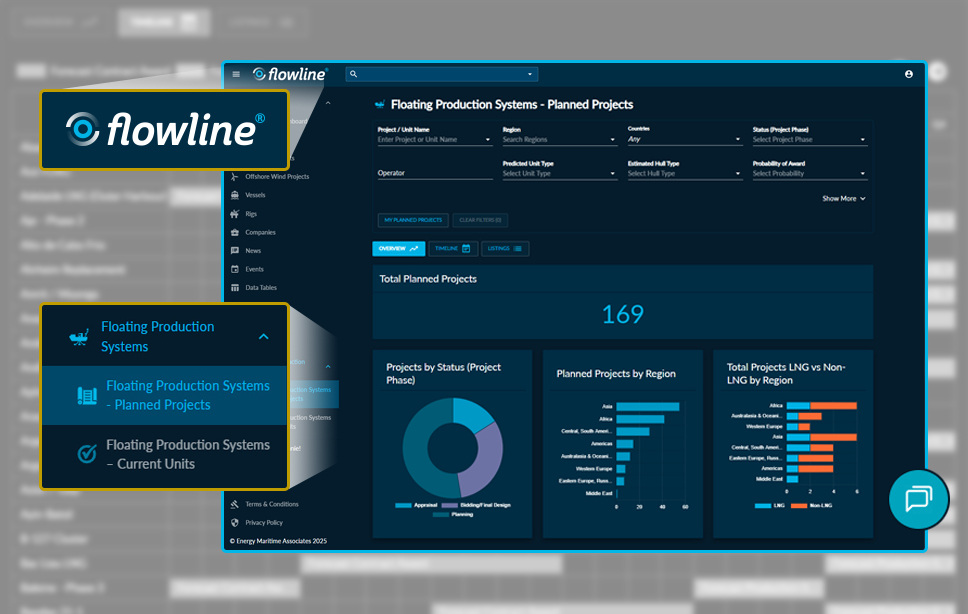
FPS Current Units now display live position data for the first time—visible on the platform map and within individual unit profiles, consistent with Vessels and Rigs.
Video - Short screen recording of Flowline showing a user opening a vessel profile and viewing the expanded tracking data and Latest AIS Position.
Find Assets by Survey & Dry Dock Dates
New filters across Vessels, Rigs, and FPS let you search by Special Survey Date and Dry Dock Date using a simple year-range selector—ideal for identifying assets with upcoming maintenance windows. You can also filter by Classification Society and search vessels by a previous name.
Video - Short screen recording of Flowline showing a user filtering vessels by Special Survey Date range and viewing the results.
Smarter Search Across the Platform
Most filters in Flowline® now support multi-select. Choose several values within a single filter—multiple flag countries, several development types, a handful of regions—and see all matching results in one query. This applies across Vessels, Rigs, FPS, Offshore Fields, O&G Projects, OWF Projects, Companies, News, and the Data Tables.
FPS pages have also gained new filters for Associated O&G Project, Associated Field, and Probable Mooring System Type, alongside new profile links connecting FPS units directly to their related O&G Projects and offshore fields.
Video - Short screen recording of Flowline showing a user applying a multi-select filter and viewing the combined results.
FPS News Has Arrived
Following the launch of our Floating Production Systems sections, FPS units now have dedicated news coverage across the platform:
-
FPS Updates – a new news column in the News section and Data Tables, filterable and searchable like all other news types.
-
News on Every FPS Profile – each unit's profile now lists every article relevant to that unit, all in one place.
-
Updates Timeline – a new view on FPS profiles showing the history of status changes and developments for each unit.
-
Notifications – set up email alerts to receive FPS news matching your chosen filters, daily or weekly.
FPS news also appears on related O&G Project, Field, Vessel, and Rig profiles wherever a connection exists.
Video - Short screen recording of Flowline showing a user browsing the FPS Updates news column and opening an FPS profile to view its news section and updates timeline.
Better Maps, Fuller Picture
Every map in Flowline® now supports the full set of asset filters—Offshore Fields, O&G Projects, OWF Projects, Ports, Vessels, Rigs, and Floating Production Systems. Each map opens with a sensible default for where you are in the platform, and every asset type can be toggled on or off as needed.
Location history on individual Vessel and Rig pages now includes FPS Current Units, with a new chart showing time spent working in proximity to FPS assets alongside the existing field and project breakdowns.
Video - Short screen recording of Flowline showing a user toggling asset types on a map and viewing FPS assets alongside a vessel location history.
Cleaner Data, Better Downloads
We've also tidied how data is presented throughout the platform. Numbers now show only the decimal places needed, dates appear in a clear day/month/year format, and the navigation data panel on Vessel and Rig profiles has been redesigned to show everything in full view.
Downloads have been restructured across all asset types—individual profile downloads now follow a consistent column format, Rig and FPS individual downloads are available for the first time, and full asset downloads use section headings to make large exports easier to navigate.
Video - Short screen recording of Flowline showing a user downloading a structured asset export.
How to Access
If you already have a Flowline® subscription, EMA's latest round of updates are now live in your account—simply log in and explore the above new features.
If you’re not yet a subscriber, book a demo here to see how these new features (and the rest of Flowline®) can give you a competitive edge.
For any other Flowline® enquiries, please contact:
Eric Sherman at eric.sherman@energymaritimeassociates.com

 Ross Ord
 Kelsey Crehan : Thu, Aug 21, 2025